sktime-cli#
sktime-cli
The command line for sktime, built for AI agents and humans
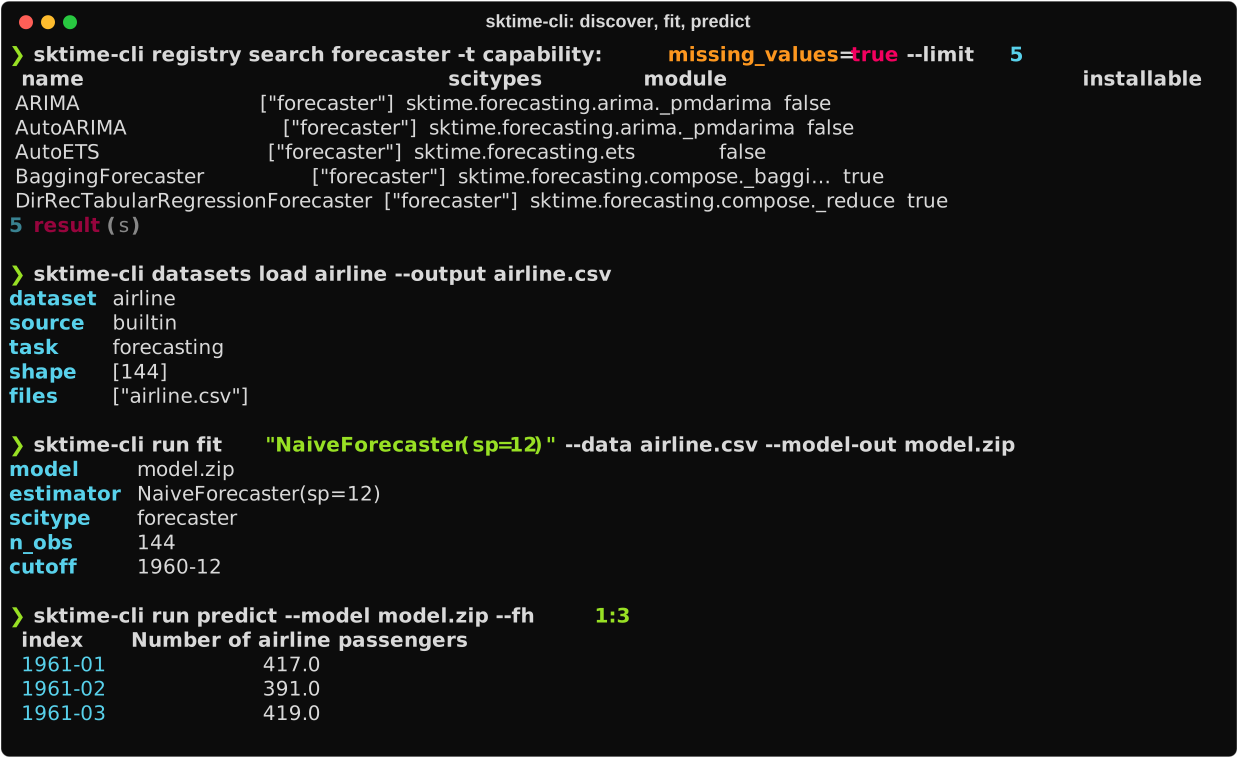
sktime-cli puts sktime behind a shell
prompt. You can search for estimators, fetch datasets, inspect time series
files, and run fit, predict, and evaluate workflows without writing a Python
script.
Every command is one process. It reads files or names, calls sktime, writes results, and exits with a meaningful code. No state is hidden in a session, so the same command behaves the same way in a shell, a Makefile, a CI job, or an AI agent.
uv tool install sktime-cli

sktime-cli registry search forecaster -t capability:missing_values=true
sktime-cli datasets load airline --output airline.csv
sktime-cli run fit "NaiveForecaster(sp=12)" --data airline.csv --model-out model.zip
sktime-cli run predict --model model.zip --fh 1:12
Start here#
Go from an empty shell to a fitted forecaster and a set of predictions.
Work a real problem end to end: forecast oil prices, classify sensor data, or set up an agent to do it for you.
Search sktime’s registry by scitype, name, and capability tag, then read an estimator’s parameters before you use it.
Spec strings, pipelines and ensembles, saved model artifacts, and backtesting
with run evaluate.
The JSON contract, the structured error format, and the skill file that teaches an agent to use the CLI.
How it differs from a Python script#
- Stateless commands
There are no sessions, handles, daemons, or background jobs. A fitted model is a
.zipfile you can copy, commit, or delete, and any later command picks it up by path. Run a command twice and you get the same answer.- Registry-native discovery
registry searchfilters sktime’s full estimator registry by scitype and capability tag. Results come from a disk cache, so repeat searches don’t pay for the registry crawl again.- Estimators named the way you write them in Python
Models are given as constructor expressions, such as
"NaiveForecaster(sp=12)". Pipelines use*, multiplexers use|, and transformer unions use+. There is no separate syntax to learn.- Many formats in, many formats out
csv, parquet, json,
.ts,.tsf, and.arffgo in. Every command reads--format human|agent|json|quieton the way out.- Errors that name the fix
Every failure is a structured record with a stable error code, a stable exit status, and a
hintfield that usually contains the next command to run.
Project status#
sktime-cli is an independent, unofficial command-line client for sktime. It
is not maintained by the sktime project. Version 0.0.2 is an early alpha
release: discovery and one-shot runs work, and the
roadmap lists what comes next.